Context
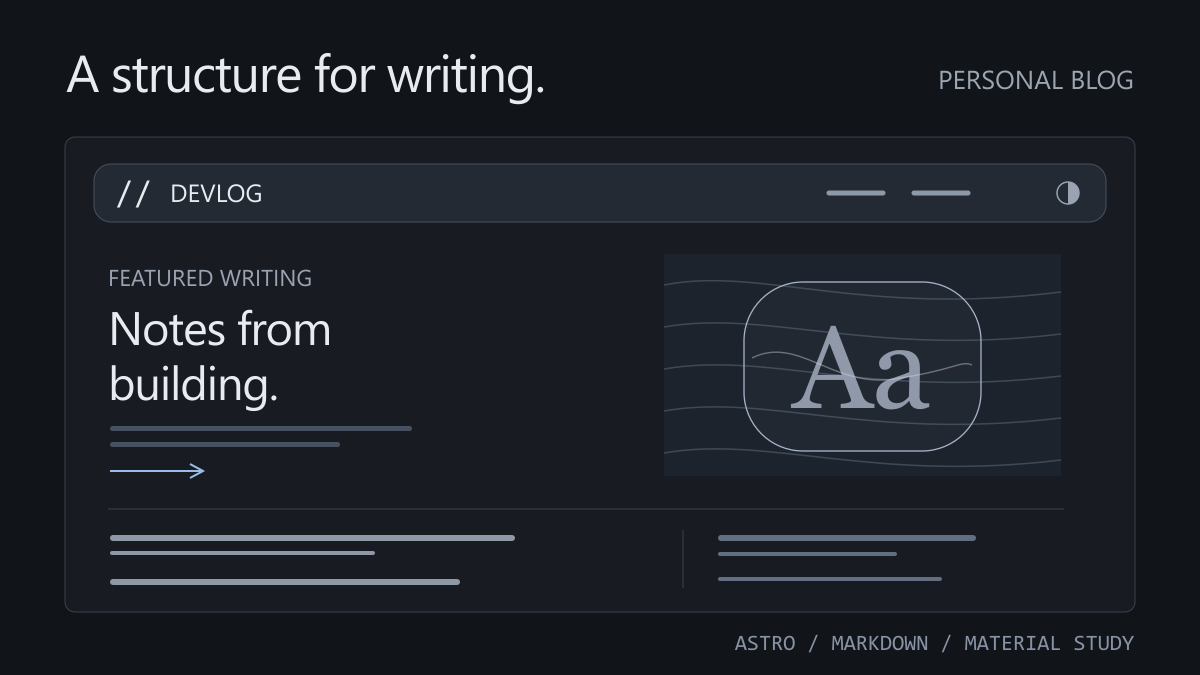
A self-initiated redesign of this personal blog. It retains Astro static generation, existing English and Chinese content, and article addresses while making technical writing, project notes and learning records the focus.
The problem
The previous homepage led with services and freelance work, leaving writing and projects harder to discover. Updates required direct file editing, without a shared entry point for images, drafts and previews. The visual redesign also needed to keep reading stable while exploring interactive materials.
Approach & decisions
- Use content collections for article and project fields. The homepage reads its featured article, recent writing and projects from actual content rather than duplicated page copy.
- Keep English and Chinese directories with matching filenames. A shared slug links translations and supports article routes, project routes and language switching.
- Add Decap CMS in local filesystem mode for browser editing, image uploads and drafts. Content remains Markdown and static assets inside the project.
- Provide source material in the conversation or materials/inbox. The agent checks sources and prepares Markdown drafts; the browser editor is used for review, images and publication.
- Limit glass effects to the navigation background and a separate study canvas. Pointer movement affects material layers while navigation text and prose remain stable; touch and reduced-motion settings use a static presentation.
- Give the canvas a pixel budget and a settling threshold. Pause or clean up work when the component leaves the viewport, the page is hidden or the component is removed.
Result
The current implementation contains bilingual article and project pages, a content-driven homepage, a local browser editing entry point and a separate glass study component. Routine updates share one content model, while presentation can evolve independently. The record covers the local implementation and its design decisions; deployment and online authentication are configured separately.
Start with the order of the content
A personal blog should quickly show what is worth reading.
The homepage therefore begins with an existing featured article, followed by recent technical writing, learning notes and projects. The introduction becomes a short line so readers can reach a concrete topic sooner. Services can retain their own place; the homepage primarily helps people discover the writing.
Articles and notes share a content collection and use type to distinguish their format. Titles, descriptions, topics, covers, publication dates and draft status follow the same structure. Lists can reuse that data, and new pages do not need a copy of the body text.
Give the agent source material, keep the draft in files
Updates begin with material: links, notes and files can be shared in the conversation or placed in materials/inbox/. The agent identifies the question and sources, checks technical details and prepares a Markdown draft. Unsupported experiences or metrics are not added, and unresolved questions stay in the editing record.
This happens in the current project conversation. The browser editor handles review, images and publication using the same files, so there is no need to copy the article again. The project keeps written conventions for future agents to follow.
Local writing uses Decap CMS. The development entry point starts Astro and a filesystem proxy together. Articles, projects and uploaded images are saved back into this project. New entries start as drafts and join the public content collection after the draft flag is turned off.
Markdown remains directly readable. Batch edits, change reviews and future editor migrations do not depend on a proprietary content database. Images are uploaded to public/uploads, and the body stores their site-relative paths.
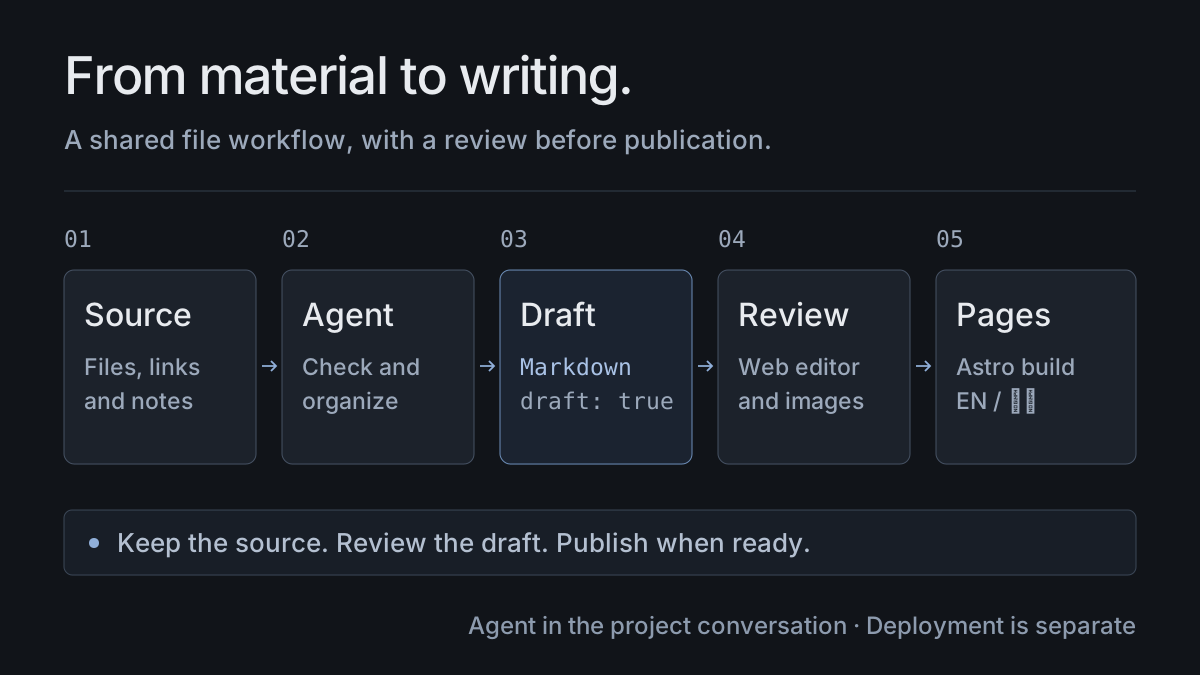
The diagram describes the implemented workflow. Browser editing is another entry point to local files; saving content, building the site and deploying it are separate steps. Online editing still depends on configuring the actual repository, authentication and deployment environment.
Share translation identifiers, maintain each body separately
The English and Chinese versions of an entry use matching filenames inside en and zh. Both versions of this project, for example, use the slug personal-blog. The site uses it to find a corresponding translation and generate language links.
The two bodies can evolve independently. An unfinished translation does not require a placeholder page. Addresses, titles and dates remain part of content maintenance and should be checked during a redesign.
Define the boundary of the glass effect
The material study lives in its own Canvas component. Code generates a background texture; the glass surface changes local sampling coordinates; pointer movement introduces a short-lived ripple. It appears as a separate interface experiment; featured writing still comes from the article collection.
Navigation uses a smaller effect. Its decorative background responds to the pointer with a slight spring displacement and moving highlight. Links stay in place, along with their hit areas. Article prose keeps a flat layout and a shared light or dark theme.
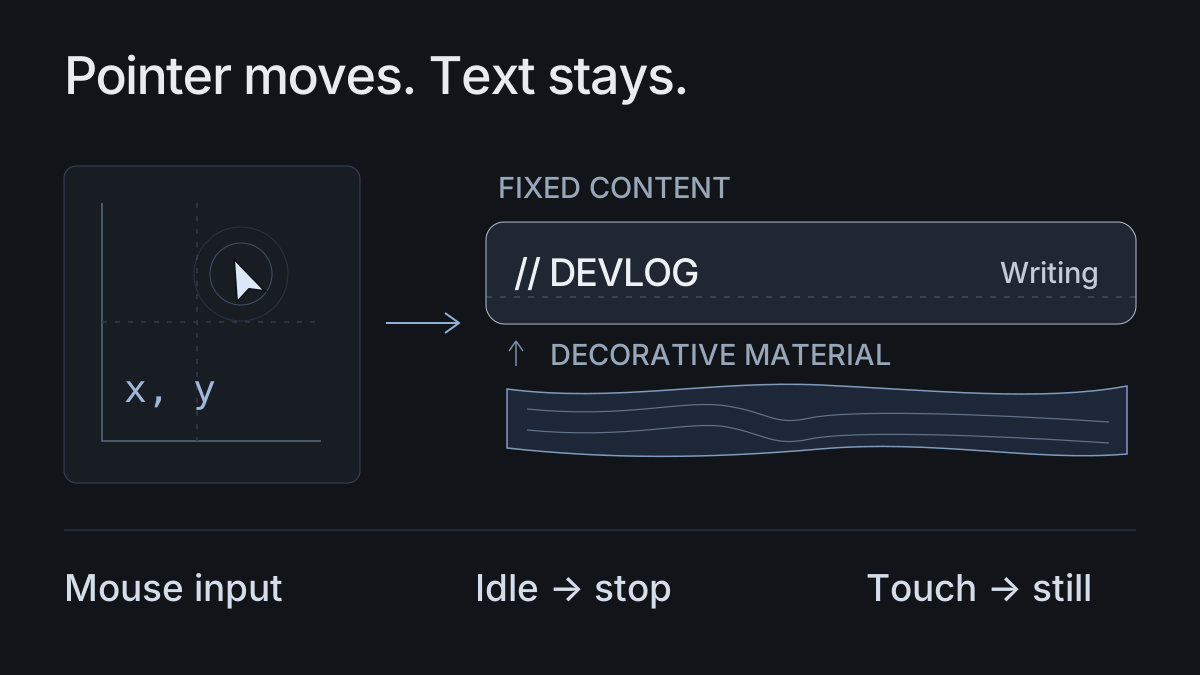
Rendering runs on demand. Pointer input starts updates, and the spring and ripple stop requesting frames once they settle. Work pauses when the component leaves the viewport or the page is hidden, and is cleaned up when the component is removed. Reduced-motion settings show a static material. Pixel density and total pixel count are capped so high-density screens do not multiply the workload without a limit.
Keep testing it through real updates
This project will continue to change with the blog. The next checks are practical: whether adding an article is straightforward, old entries are easy to revise, images and translation links remain dependable, and reading requires no detour around decoration.
The cover and both diagrams are code-drawn structural illustrations. They explain the layout and implementation boundaries; they are not screenshots of a deployed site.