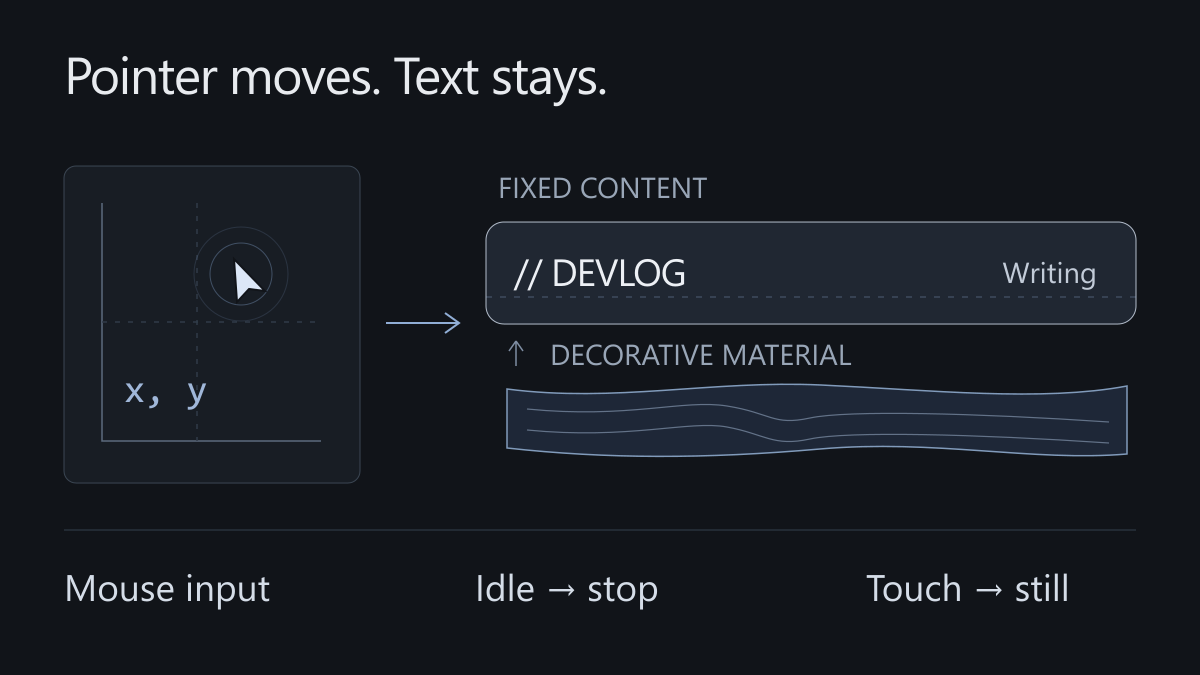
A highlight follows the pointer across the navigation. The surface bends slightly. It is tempting to keep adding effects until the text starts moving too.
A blog asks people to read for a while. Before adding another ripple, decide what can move, when it stops, and how the page behaves without a mouse.
Move the surface, keep the links still
The navigation uses separate decorative and content layers. Transforms affect the surface; links, focus outlines, and hit targets stay in place. Its target displacement reaches about 2px horizontally and 1.3px vertically. Those are choices for this layout, not universal limits.
Moving the whole navigation can affect text rendering and shift a target just before someone clicks it. Separating the layers makes the material easier to tune without disturbing interaction.
Apple’s material guidance places Liquid Glass in the functional layer of controls and navigation and recommends using it sparingly. Article text benefits from a steady background.
Convert the pointer to local coordinates
clientX and getBoundingClientRect() both use viewport coordinates. Subtracting one from the other works while the page scrolls. Mixing in pageX would introduce a different coordinate system.
const bounds = surface.getBoundingClientRect();
if (!bounds.width || !bounds.height) return;

const clamp01 = (n: number) => Math.max(0, Math.min(1, n));
const x = clamp01((event.clientX - bounds.left) / bounds.width);
const y = clamp01((event.clientY - bounds.top) / bounds.height);

targetX = x * 2 - 1;
targetY = y * 2 - 1;
The normalized position can drive a percentage-based CSS highlight or be multiplied by the canvas’s internal dimensions. Share the proportion, not the pixel count: CSS pixels and canvas pixels may differ on a high-density screen.
The homepage study caps its internal width at 540 pixels, total work at roughly 180,000 pixels, and pixel ratio at 1.5. It illustrates a material; it does not need the resolution of article text.
Let input set a target
The pointer handler records a target and ripple energy. A single animation frame loop moves toward that target using elapsed time. It does not redraw every pixel for every pointer event.
The damped motion stops only when both velocity and remaining distance are small. Distance alone can briefly reach zero while a spring passes its target. Ripples also contribute their remaining energy. Below the current threshold of 0.006, the implementation paints its final state and schedules no further frame.
Define how it becomes quiet
Leaving the surface sets the target back to zero and allows a short return. Leaving the viewport, hiding the document, or enabling reduced motion cancels the frame and resets the effect. Returning to the page paints a still state until fresh input arrives.
Following is enabled only for a hover-capable fine pointer, with an additional pointerType check. Touch devices keep the static material and normal scrolling. Page transitions dispose of listeners and observers.
A useful acceptance check is simple: moving produces feedback, stopping produces quiet, keyboard navigation still works, and the article remains readable without the effect.
References: Pointer Events, reduced motion preferences.