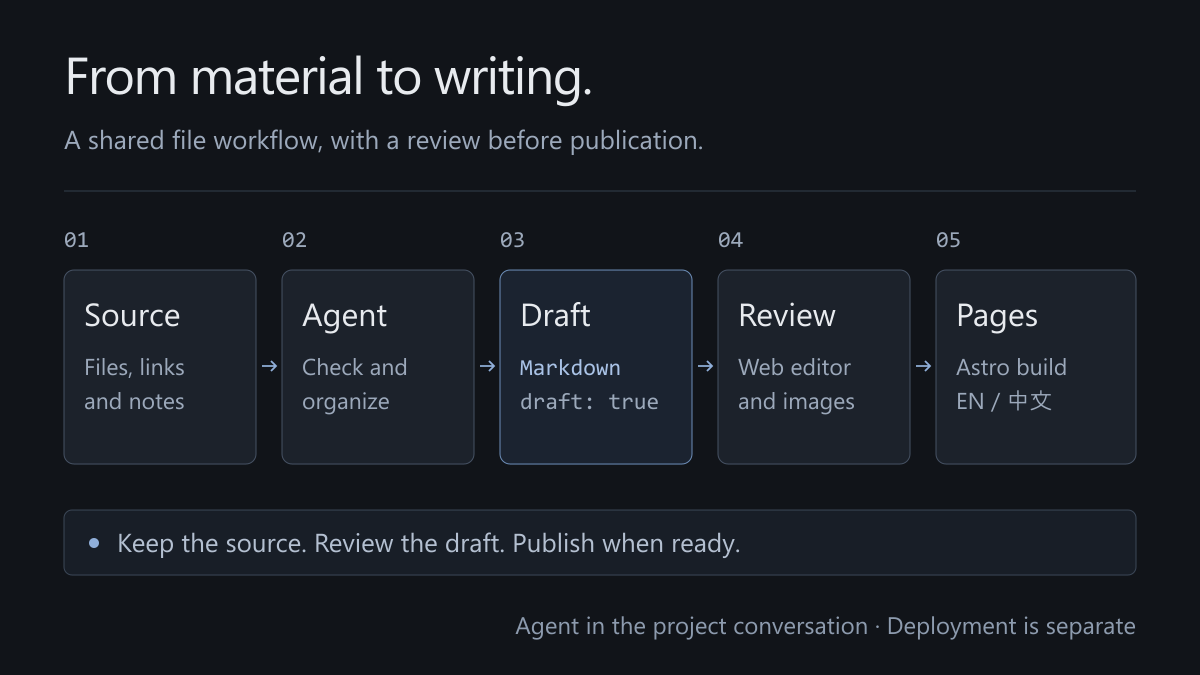
Updating a blog does not have to start with an empty editor. A document, a code snippet, or an unresolved question can go to an agent first. The web editor is then a place for reviewing the draft, adding images, and deciding what is ready to publish.
The workflow is source material → agent verification and organization → Markdown draft → editorial review and publication. Files stay in the project, and Astro turns them into static pages.
Give the agent material and a purpose
Provide material directly in the conversation or place files in materials/inbox/. Links, extracts, and rough notes are useful inputs. Say whether the result should be an article or a short note, who it is for, and what it should explain. A finished manuscript is not required.
The agent should separate sourced facts, quotations, and interpretation; check technical claims against official references; and include source links in the draft. Another writer’s experience must not become the site author’s personal story. Client work, processes, and results must not be invented.
Drafts default to draft: true. Incomplete or unverified claims stay in a draft with specific questions to resolve. When the user explicitly requests publication and verification is complete, the agent can set draft: false.
Write the file, then review it in the editor
The agent saves a draft under src/content/blog/zh/ or src/content/blog/en/. Run npm run dev and open http://127.0.0.1:4321/admin/ to revise wording, rearrange paragraphs, upload images, and inspect the preview. Uploads go into public/uploads/.
Decap’s local proxy documentation distinguishes file and Git modes. File mode keeps an editorial save from also committing unrelated work in the project.
The proxy listens on loopback and writes files without making commits or requiring .git. Agent-assisted preparation and browser editing work on the same Markdown file.
Store the draft state
An unfinished piece can be saved whether it was prepared by the agent or started in the editor. The file contains explicit metadata:
title: A thought still taking shape
description: Name the specific problem it explores.
publishDate: 2026-11-11
type: note
tags: [astro, Content Management]
featured: false
draft: true
Turn off the draft switch and save when it is ready. Articles and notes share one schema; their type and length differ, but their publishing machinery does not. Covers and revision dates are optional.
For now, publishDate controls display and sorting. A future date does not schedule publication. Keep draft: true until the content should appear.
Enforce that state in queries and routes
Removing a draft from a list is insufficient if its detail page still has a public URL. The implementation filters drafts both when querying public content and when generating article paths. Feeds and language alternatives must use published content too.
const posts = await getCollection('blog', ({ data }) => !data.draft);This is an application rule, not a guarantee provided by a field name. Astro content collections load and validate data; queries and routes decide what becomes a page.
Review before producing public output
Review the writing, check that code matches the current project, confirm that references support the claims, and inspect image descriptions. The development site reflects file changes; an exported static site does not update itself. Before publishing, run npm run check and npm run build, then inspect text, images, language links, and the feed.
The output lives in dist/. Once hosting is configured, new builds must also be deployed. No repository or authentication service is connected yet, so the production editor shows a setup message. Local preparation, writing, and review can continue.
Translations can arrive later. Matching slugs associate two versions; a single-language article can stand on its own. The directory structure should organize completed writing without forcing every update through a translation task.
One final boundary matters: a draft flag controls page output. It does not make source files, repository history, or separately uploaded images confidential. Keep private material out of public asset directories.